
A home inspection is only as useful as the information you can take away from it. That is why I put a lot of emphasis on the report itself.
During an inspection, a lot happens in a relatively short period of time. There may be roofing concerns, plumbing issues, electrical observations, moisture readings, maintenance items, safety concerns, and dozens of smaller details that are difficult to remember once you leave the property.
At Watchtower Home Inspections, I use Spectora to deliver my inspection reports. It gives me a clean platform for organizing photographs, observations, limitations, and recommendations into a report that is easy to review on a phone, tablet, or computer. But the software is really just the framework. The important part is what goes into it.
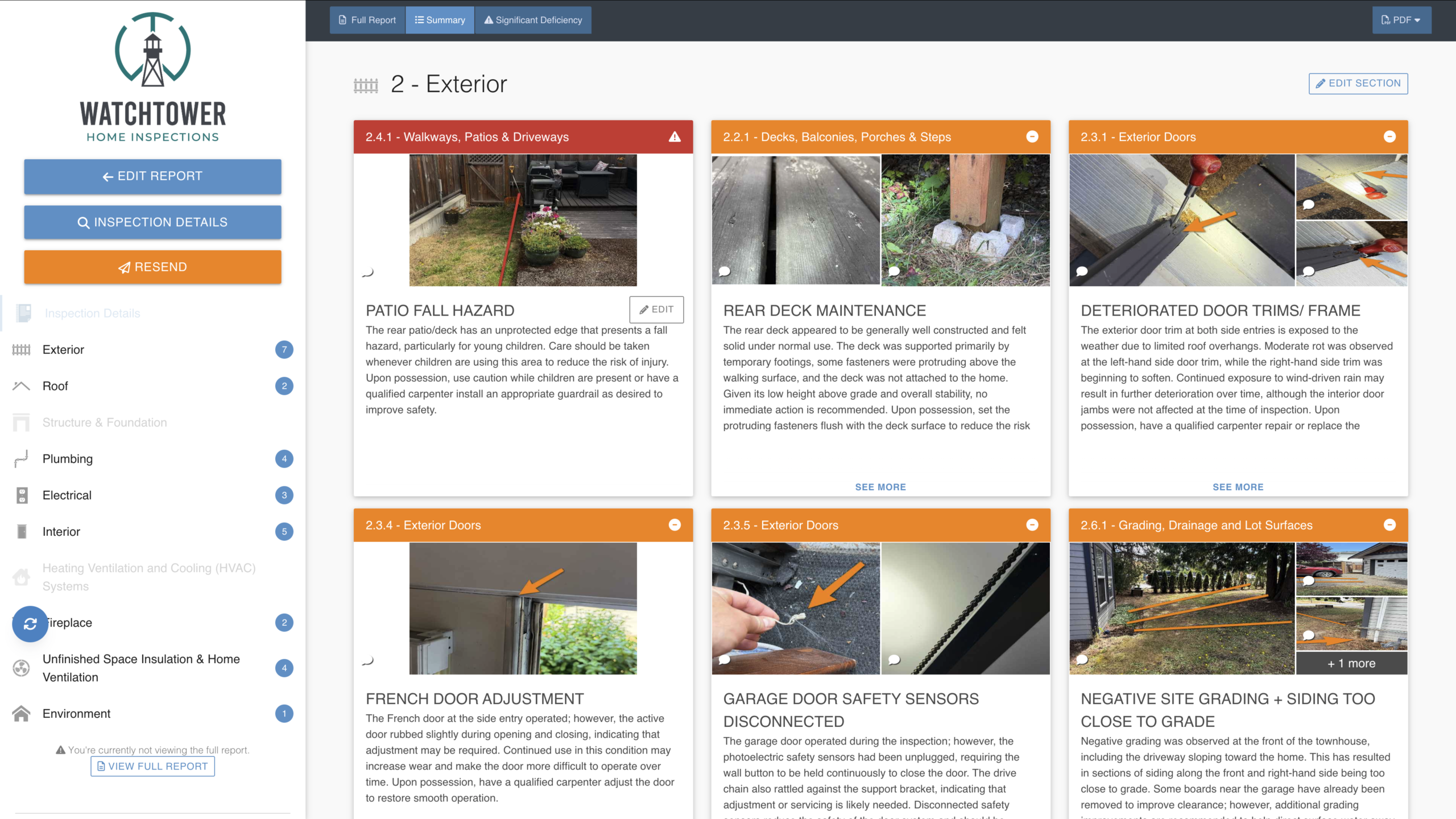
The Report Is Written for the Property in Front of Me
One of the biggest things I try to avoid is a report filled with generic language that technically covers everything but does not tell the client much about the actual house. Every property is different.
A 1950s home with original cast-iron drainage needs to be discussed differently than a newer townhouse. A home with aluminum branch wiring requires different guidance than a home with a modern electrical system. A crawlspace moisture concern should not automatically receive the exact same paragraph every time.
My recommendations are written around what was actually observed during that inspection. The goal is not simply to identify something as defective. I want the report to help answer three questions:
Where appropriate, recommendations identify the type of contractor or professional who should be involved and when the issue should be addressed. For a buyer, that may mean obtaining additional information or quotes prior to subject removal. Other observations may simply be maintenance to address after possession.
Photos Are a Major Part of the Report
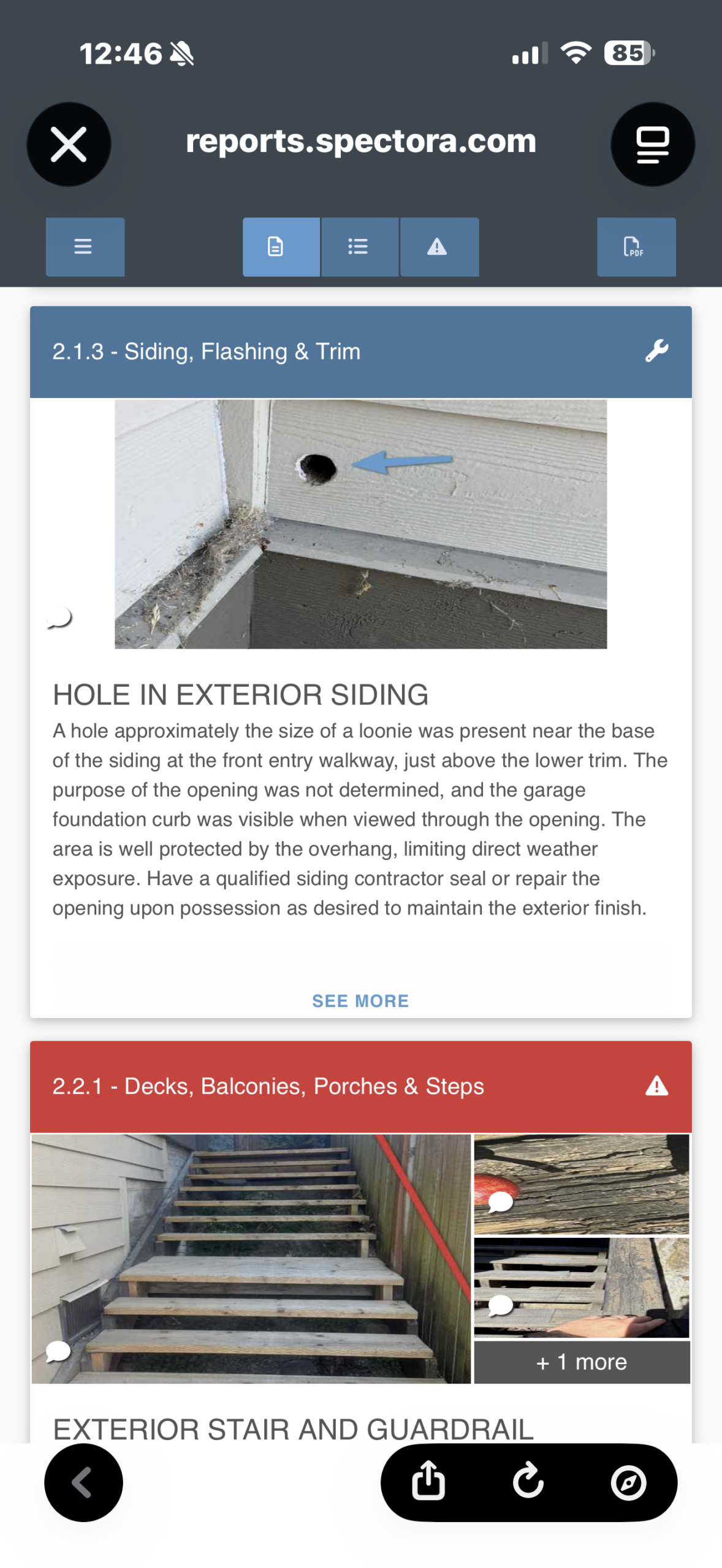
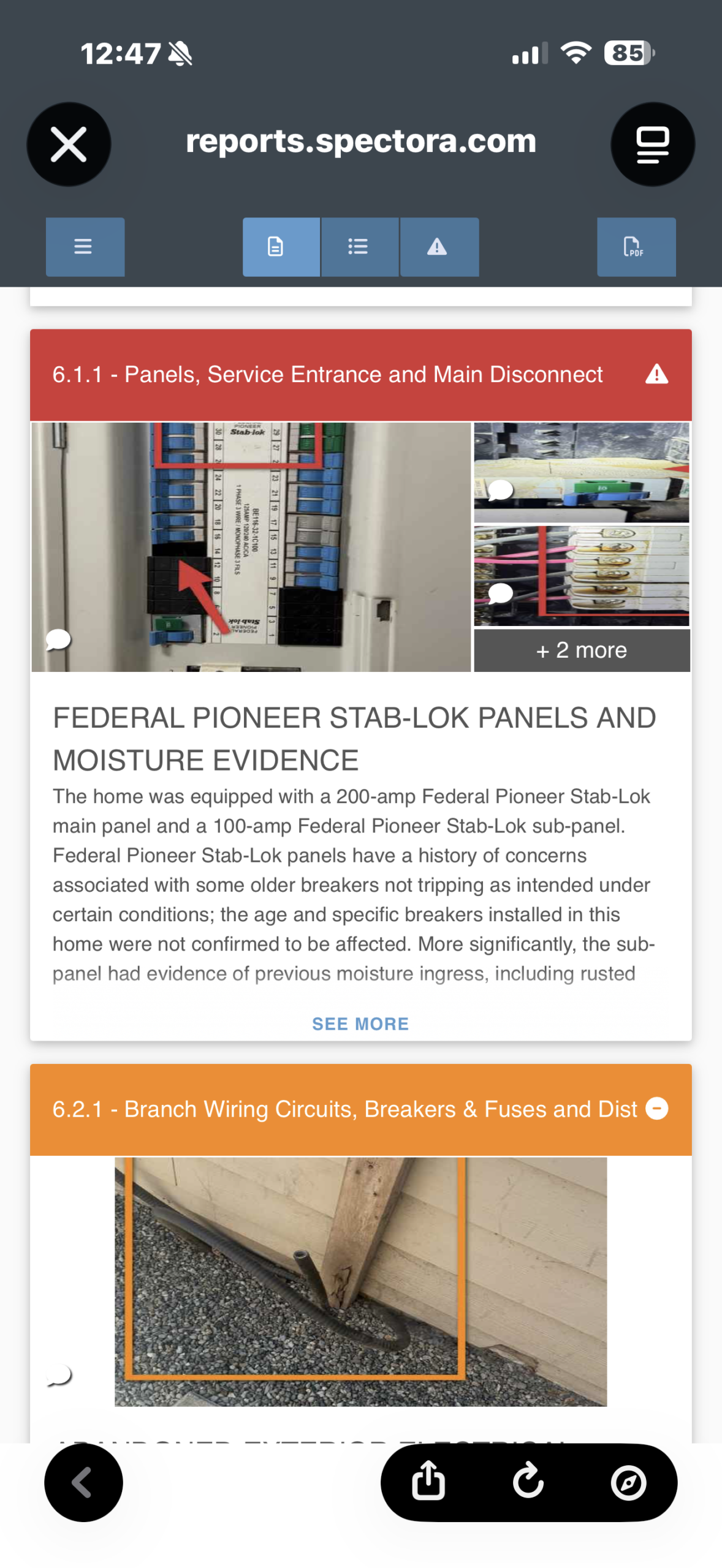
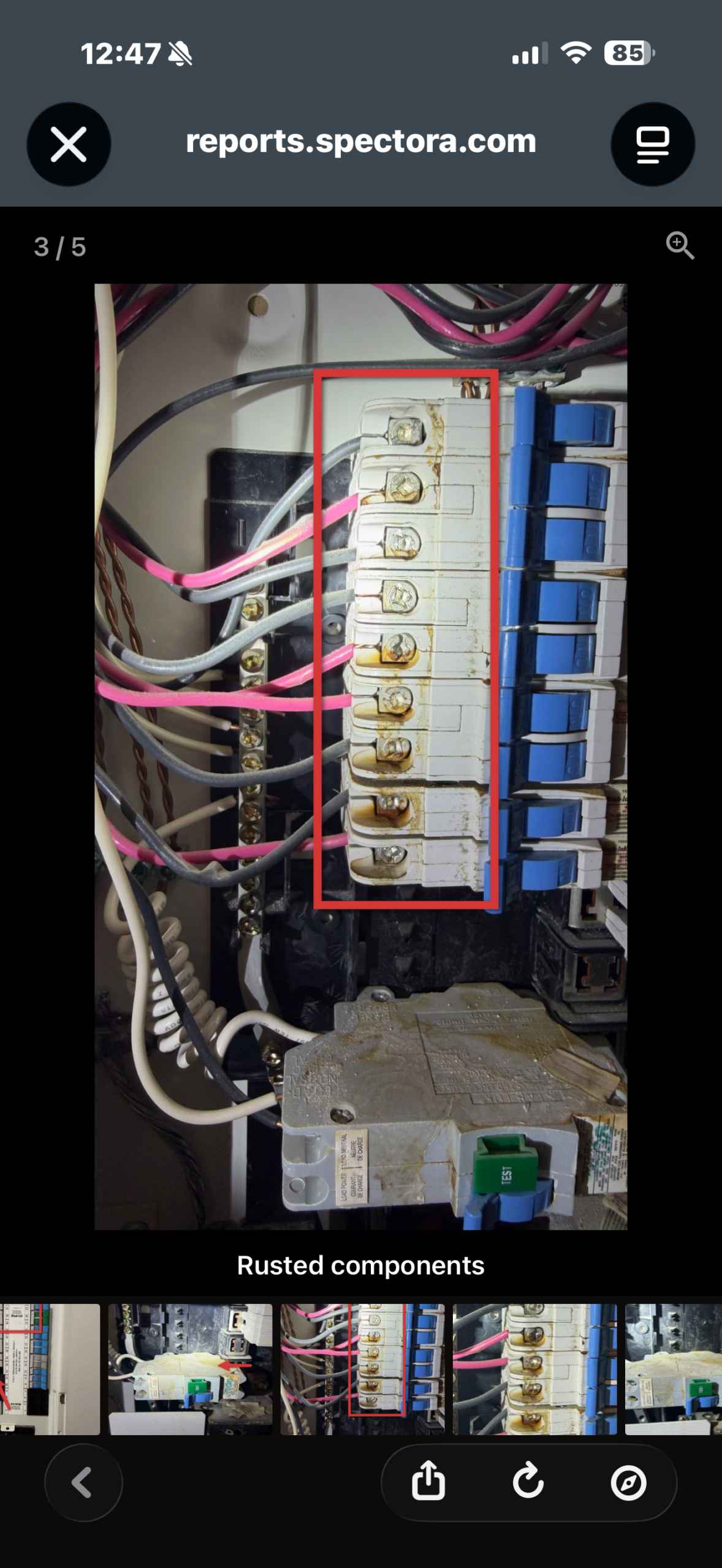
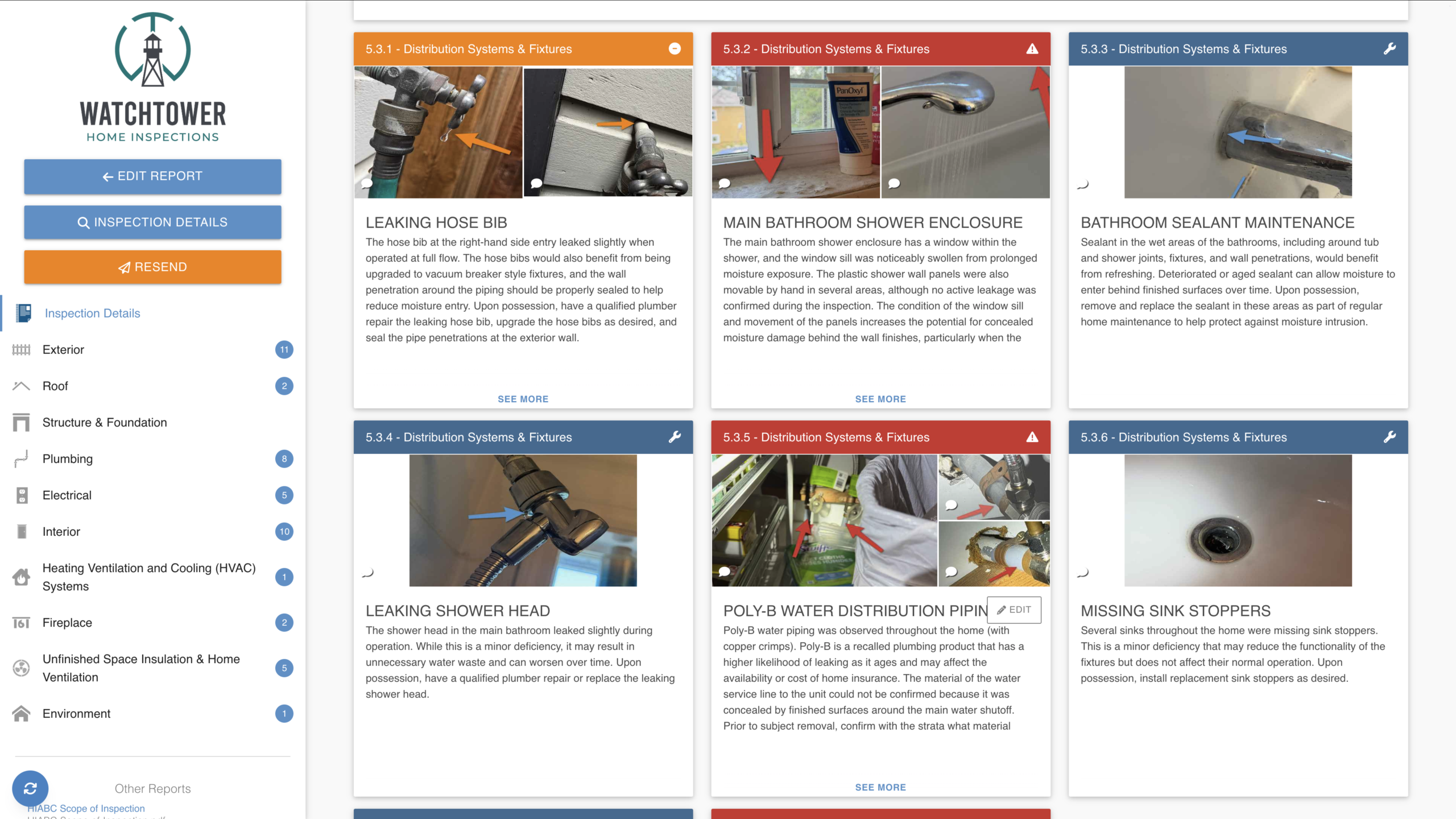
Home inspections are visual, and I think the report should be too. Important observations include photographs so you can see exactly what I was looking at. When a particular area needs to be highlighted, I can also mark up the image with arrows, boxes, or other annotations.
That means instead of reading a paragraph about something hidden in a photograph, you can immediately see what the comment is referring to.
The Report Is Organized by System
A full home inspection report can contain a lot of information. Rather than presenting everything as one enormous document, the interactive report is divided into clear sections for the exterior, roof, structure and foundation, plumbing, electrical, interior, heating and cooling, fireplace, attic and insulation, and other inspected systems.
This makes it much easier to jump directly to the part of the home you want to review. If you want a better idea of what happens before the report arrives, see what to expect from a home inspection on Vancouver Island.
Significant Findings Are Easy to Find
Not every observation in a home inspection carries the same weight. A missing sink stopper should not be presented the same way as a major electrical concern.
My reports use three primary colour categories: red for significant deficiencies or higher-priority concerns, orange for deficiencies that require attention but are generally less significant, and blue for maintenance and informational observations.
The summary brings important findings together so you can quickly review the items that matter most while still having access to the complete inspection.
It Works Just as Well on Your Phone
A lot of clients first open their report on their phone. The interactive report adapts to smaller screens rather than forcing you to pinch and zoom around a traditional PDF. You can move through the sections, open findings, enlarge photographs, and review recommendations directly in your browser.
A downloadable PDF is still available for anyone who wants a traditional copy to save or print.
The Photos in Your Report Aren’t the Only Photos I Take
This is one part of my inspection process that goes beyond the report software itself. During an inspection I take a large number of photographs. The photos that help explain observations go into the report, but after the inspection I also provide clients with access to a shared album containing the inspection photographs.
Sometimes a photograph that seemed unimportant on inspection day becomes useful months or years later when you are trying to locate a plumbing connection, show a contractor how something looked before renovations, or simply remember what a particular area looked like when you bought the home.
You Don’t Lose Access to Me When the Report Is Sent
The report is not meant to be the end of the inspection. If something in the report does not make sense, call or text me. If you move into the home and discover something later that you think may relate to the inspection, send me a photo.
Even if significant time has passed, I am happy to look back through the report and inspection photographs and help make sense of what you are seeing. There is a lot of information contained in a home inspection, and I do not expect someone who does not work around buildings every day to remember all of it after a short walkthrough.
Why I Use Spectora
There are many home inspection reporting platforms available. I use Spectora because it works well with the way I inspect. It keeps photographs, written observations, and recommendations together in a format that is straightforward for clients and real estate professionals to navigate.
Want to See a Real Watchtower Report?
You do not have to take my word for it. I have put together a collection of real Watchtower Home Inspection sample reports covering different ages and styles of homes throughout Victoria and Vancouver Island.
You can also read about home inspection pricing in Victoria, BC, or see a more technical example of how I discuss electrical concerns in my article on Federal Pioneer Stab-Lok panels.
Browse Real Sample Reports
See the level of detail, photography, and written guidance included in a Watchtower inspection report.
View Sample Home Inspection Reports →The Bottom Line
A good home inspection report should not simply prove that an inspector visited the property. It should still be useful when you are reviewing your subjects that evening, speaking with a contractor the following week, planning maintenance after possession, or trying to remember something about the home years later.
That is what I am trying to produce every time I deliver one.
Ready to Book an Inspection?
If you are buying or selling a home in Victoria or South Vancouver Island and want this level of reporting, send me the property details and a few possible dates. I will confirm availability, timing, and pricing with you directly.
FAQ: Watchtower Home Inspection Reports
What format is my home inspection report delivered in?
Your report is delivered as an interactive Spectora web report that can be viewed on a phone, tablet, or computer. A downloadable PDF copy is also available.
Are Watchtower inspection reports custom written?
Yes. Recommendations are written around the conditions observed at that specific property rather than relying only on generic boilerplate comments.
How are findings prioritized in the report?
The report uses red for significant deficiencies or higher-priority concerns, orange for deficiencies requiring attention, and blue for maintenance and informational observations.
Can I view the report on my phone?
Yes. The interactive report is designed to adapt to mobile screens, so you can review findings, photos, and recommendations directly in your browser.
Do I get access to all of the inspection photos?
In addition to the photos included in the report, Watchtower clients receive access to a shared album containing the inspection photographs taken on site.
Can I ask questions after the report is delivered?
Yes. Clients can contact me after the inspection if questions come up, including well after possession when something in the report or inspection photos becomes relevant again.